Note
Go to the end to download the full example code.
Choropleth map
The pygmt.Figure.choropleth method allows us to plot geographical data such as
polygons which are stored in a geopandas.GeoDataFrame object or an OGR_GMT
file. Use geopandas.read_file to load data from any supported OGR formats such
as a shapefile (.shp), GeoJSON (.geojson), geopackage (.gpkg), etc. You can also use a
full URL pointing to your desired data source. Then, pass the
geopandas.GeoDataFrame as an argument to the data parameter of
pygmt.Figure.choropleth, and style the geometry using the pen parameter. To
fill the polygons based on a corresponding column you need to specify the column name to
the column parameter.
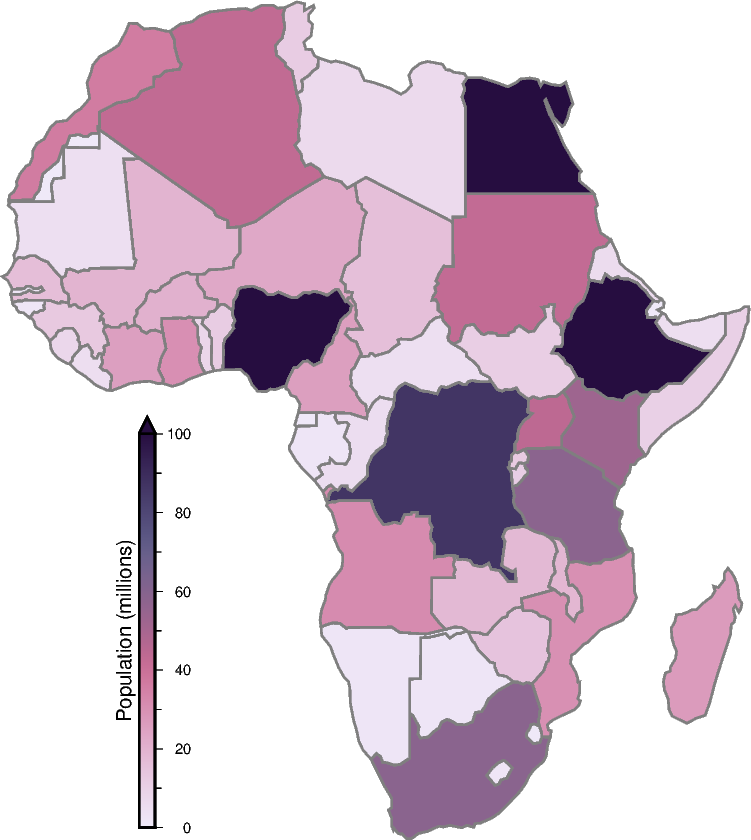
import geopandas as gpd
import pygmt
from pygmt.params.position import Position

provider = "https://naciscdn.org/naturalearth"
world = gpd.read_file(f"{provider}/110m/cultural/ne_110m_admin_0_countries.zip")

# The dataset contains different attributes, here we focus on the population within
# the different countries (column "POP_EST") for the continent "Africa".
world["POP_EST"] *= 1e-6
africa = world[world["CONTINENT"] == "Africa"].copy()

fig = pygmt.Figure()
fig.basemap(region=[-19.5, 53, -37.5, 38], projection="M10c", frame="+n")

# First, we define the colormap to fill the polygons based on the "POP_EST" column.
pygmt.makecpt(cmap="SCM/acton", series=(0, 100), reverse=True)

# Next, we plot the polygons and fill them using the defined colormap. The target column
# is defined by the aspatial parameter.
fig.choropleth(data=africa, column="POP_EST", pen="0.8p,gray50")

# Add colorbar legend.
fig.colorbar(
    frame="x+lPopulation (millions)",
    position=Position("ML", offset=(2, -2.5)),
    length=5,
    fg_triangle=True,
    triangle_height=0.2,
    move_text="label",
)
fig.show()
Total running time of the script: (0 minutes 0.463 seconds)